OmniPhoto — Free Professional In-Browser Photo Editor & Photoshop Alternative
Edit layered Adobe Photoshop PSD files, develop camera RAW data, composite non-destructive masks, and color grade with 32-bit precision directly in your browser. Fast, offline-capable, and completely free.
OmniPhoto is an open-source, high-performance in-browser photo editing studio and Adobe Photoshop alternative built in pure Rust and WebAssembly. It provides full multi-layer compositing, non-destructive adjustment layers, PSD and PSB file parsing and generation, vector pen paths, and 32-bit floating point color rendering 100% on the client device without sending files to remote servers.
Engine Architecture & Technical Specifications
Supports unlimited nested layer groups, 27 blend modes (Multiply, Screen, Overlay, Color Dodge), 8-bit raster masks, vector clipping paths, and non-destructive Smart Filters.
Full binary round-tripping for Adobe Photoshop PSD & PSB, TIFF (8/16/32-bit float), JPEG, PNG, WebP, AVIF, SVG, and camera RAW formats (DNG, CR2, NEF, ARW).
Color calculations are performed in 32-bit float precision across sRGB, Display P3, Adobe RGB, and CMYK (FOGRA39, SWOP) with ICC profile soft proofing.
Specialized Photo Tools & Workflows
Browse targeted editing workflows, file format converters, and raster/vector suites.
PSD Online Editor & Photoshop File Viewer
Open, edit, and save layered Adobe Photoshop PSD and PSB files directly in your web browser with 100% fidelity.
Professional Photo Retouching & Healing Studio
Remove blemishes, heal skin imperfections, clone textures, and dodge/burn portraits with pixel-level precision.
Multi-Layer Stack & Non-Destructive Masking
Composite multiple images with unlimited layer stacks, raster alpha masks, clipping masks, and live vector paths.
Non-Destructive Curves, Levels & Color Grading
Master color tone curves, histogram levels, vibrance, HSL selective color, and exposure without altering source pixels.
Camera RAW, DNG, CR2 & NEF In-Browser Developer
Demosaic and develop digital camera raw files (Canon, Nikon, Sony, Fujifilm, Apple ProRAW) with full highlight recovery.
Vector Paths, Bezier Shapes & SVG Exporter
Draw mathematically sharp Bezier curves, pen paths, custom shapes, and vector clipping masks.
CMYK to RGB Converter & ICC Color Profile Proofing
Simulate print color gamuts, inspect out-of-gamut warnings, and convert between RGB, CMYK, Lab, and Grayscale.
High-Pass & Unsharp Mask Image Sharpener
Sharpen blurry photos, recover micro-contrast, and enhance edge clarity with professional Unsharp Mask and High-Pass filters.
High-Fidelity Aspect Ratio Cropper & Resizer
Crop images to exact dimensions, aspect ratios (16:9, 1:1, 4:5, 9:16), straighten horizons, and resample with Lanczos3.
Advanced Typography & Text Styling on Photos
Render rich text layers with kerning, tracking, leading, paragraph alignment, open-type ligatures, and layer style effects.
Real Workflows in the OmniPhoto Editor
Explore the real OmniPhoto editor running complex multi-layer compositions, adjustment layers, vector paths, and non-destructive styles on classic artworks.
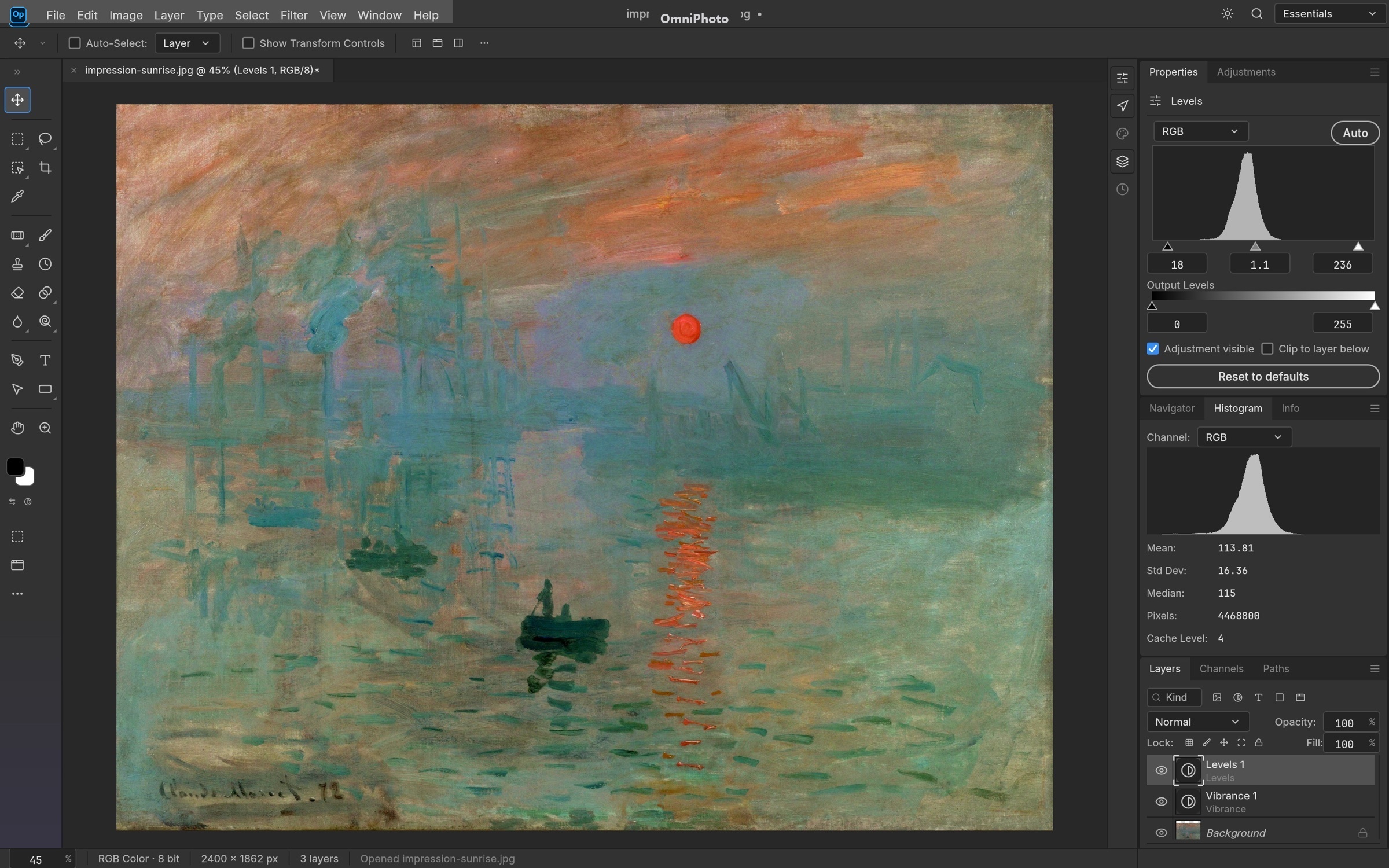
Non-Destructive Adjustment Layers
Stack Levels, Curves with per-channel RGB curves, Vibrance, Black & White, Selective Color, and 3D LUT Color Lookups (.cube, .3dl). Mask them to regions without ever altering underlying source pixels.
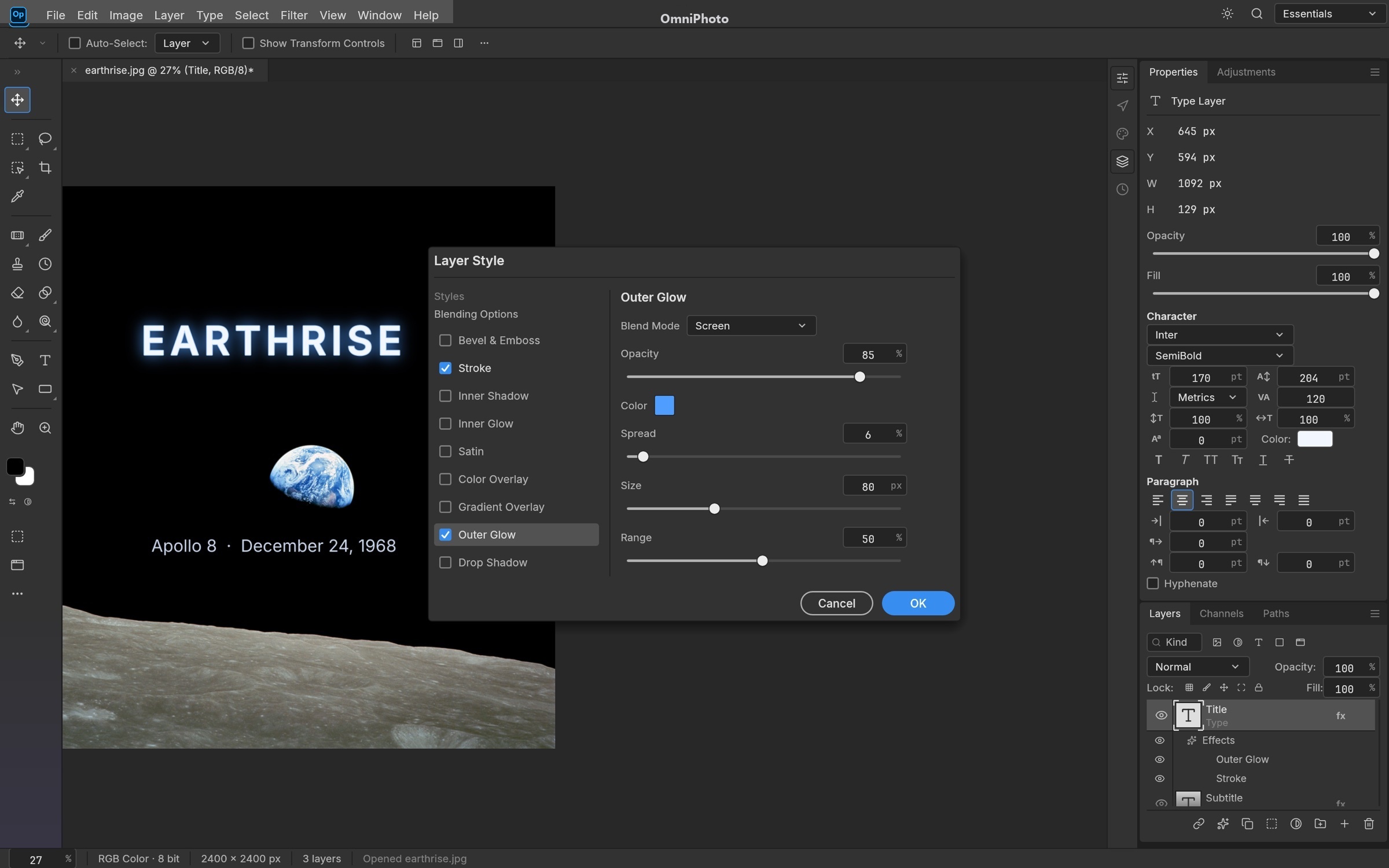
Styles That Sell The Shot
Live layer effects applied in real time to raster and typography layers. Supports pattern libraries, PSD Patt blocks, gradient fills, and complete bidirectional PSD layer style rendering.
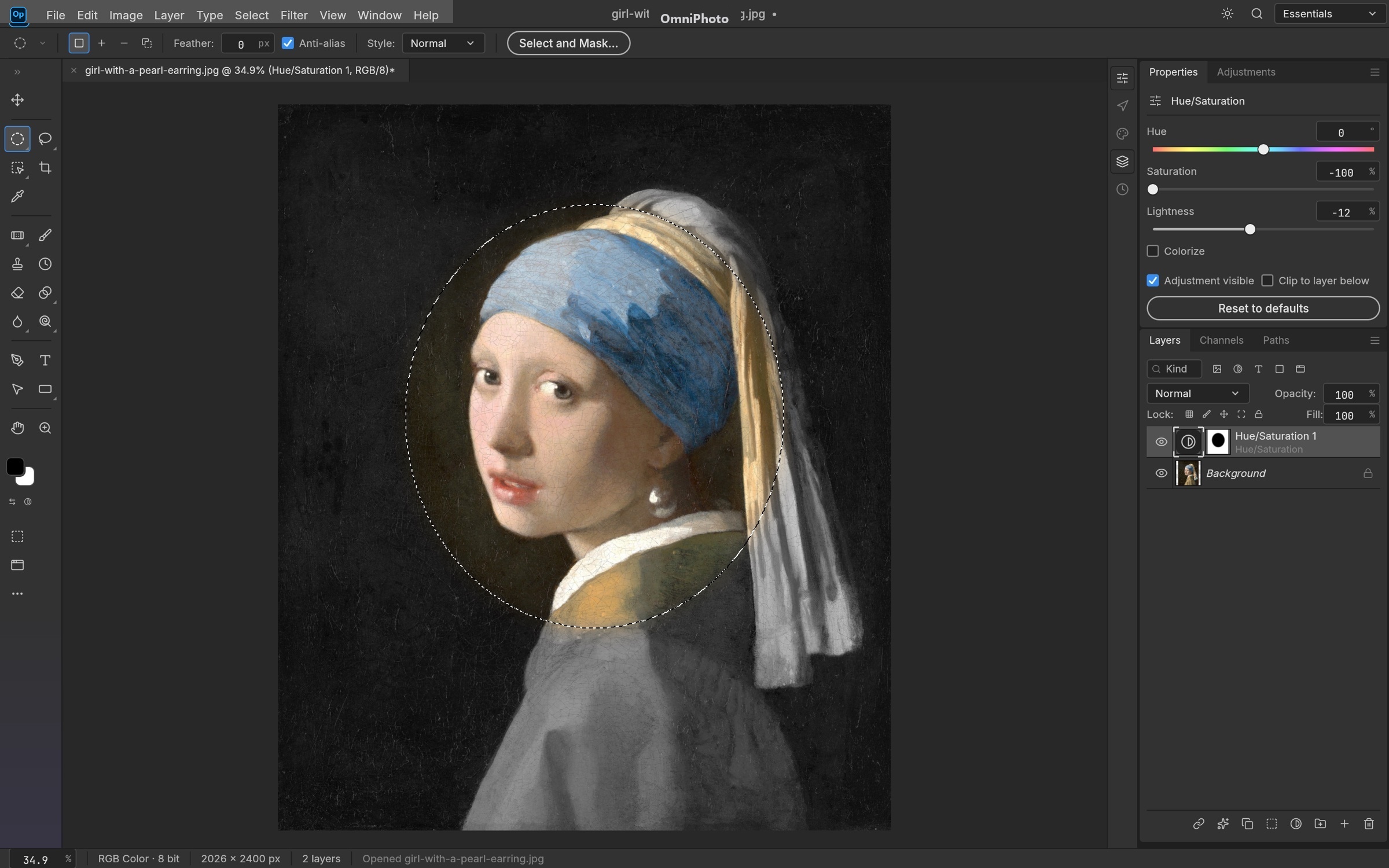
Pixel-Perfect Masking & Selections
Marquees, smart subject detection, and Select & Mask with feathering, contract, and smooth sliders. Convert any selection into a layer mask, vector path, or shape layer.
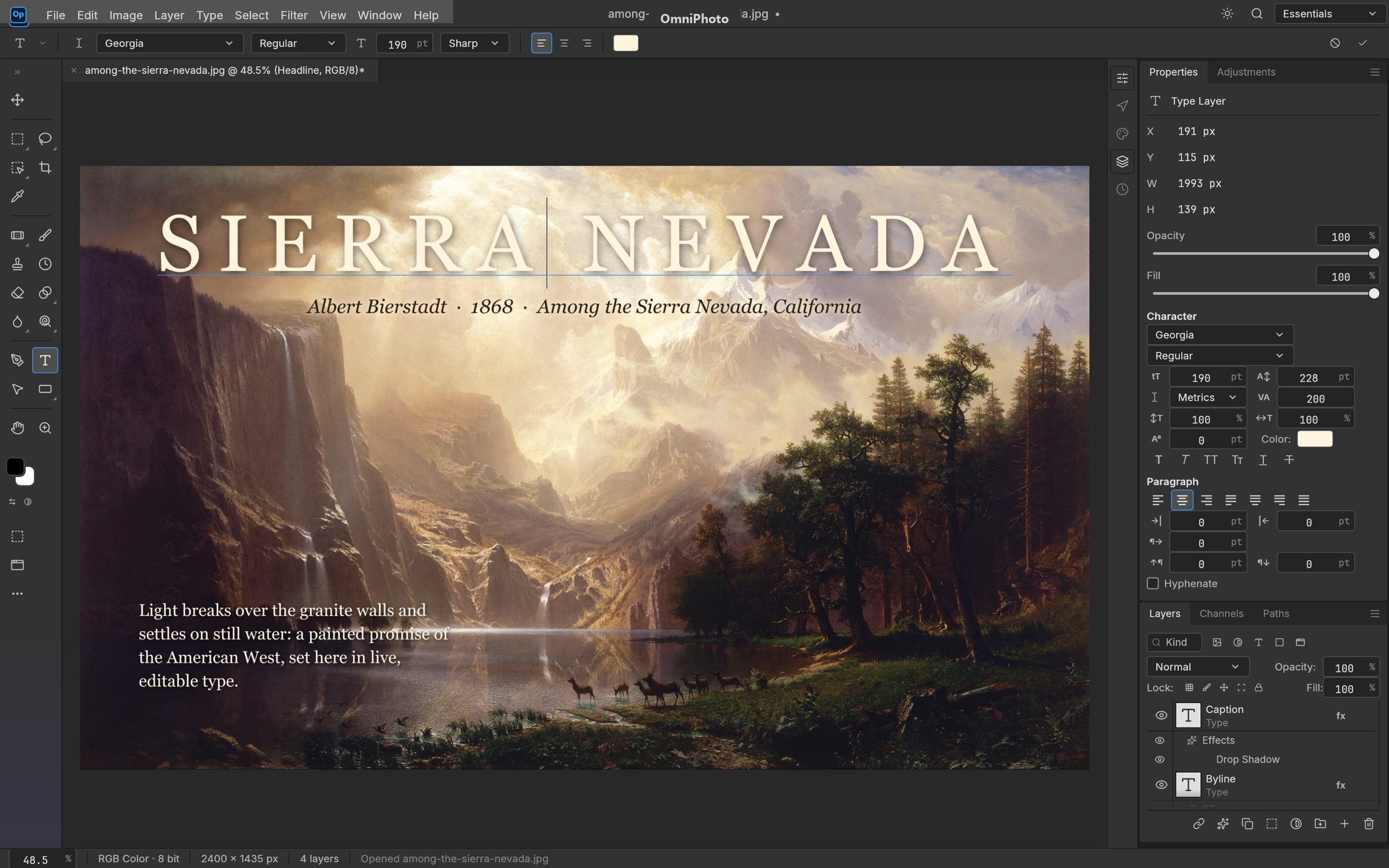
Canvas Typography & Type Styles
Point and paragraph text editable directly on canvas. Full tracking, leading, baseline shift, kerning, OpenType glyphs, and screen color sampling with a live pixel loupe.
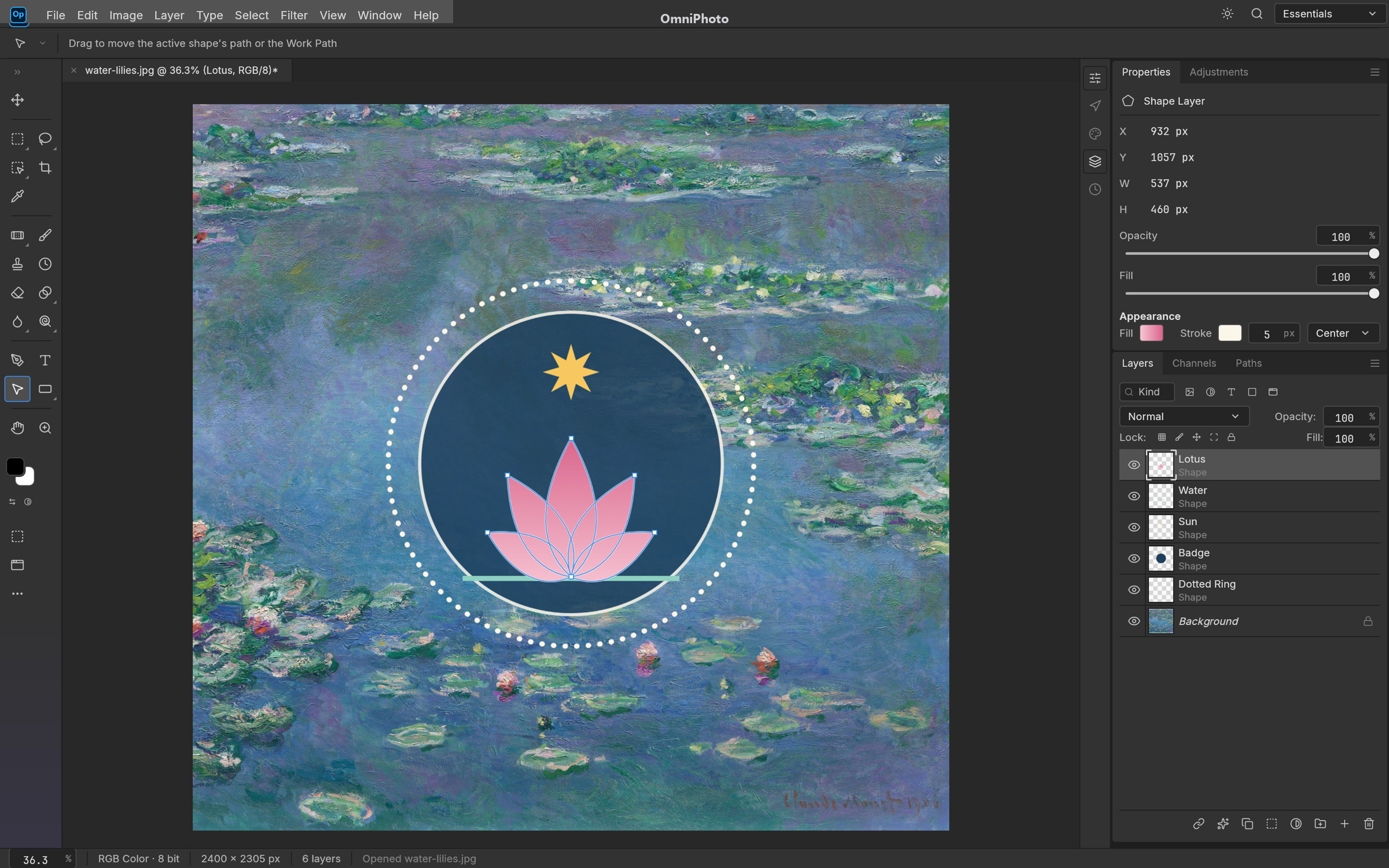
Infinite-Resolution Vector Shapes
Pen, Freeform, and Curvature Pen tools with resolution-independent shape layers, gradient fills, aligned strokes, and boolean path operations (unite, subtract, intersect, exclude).
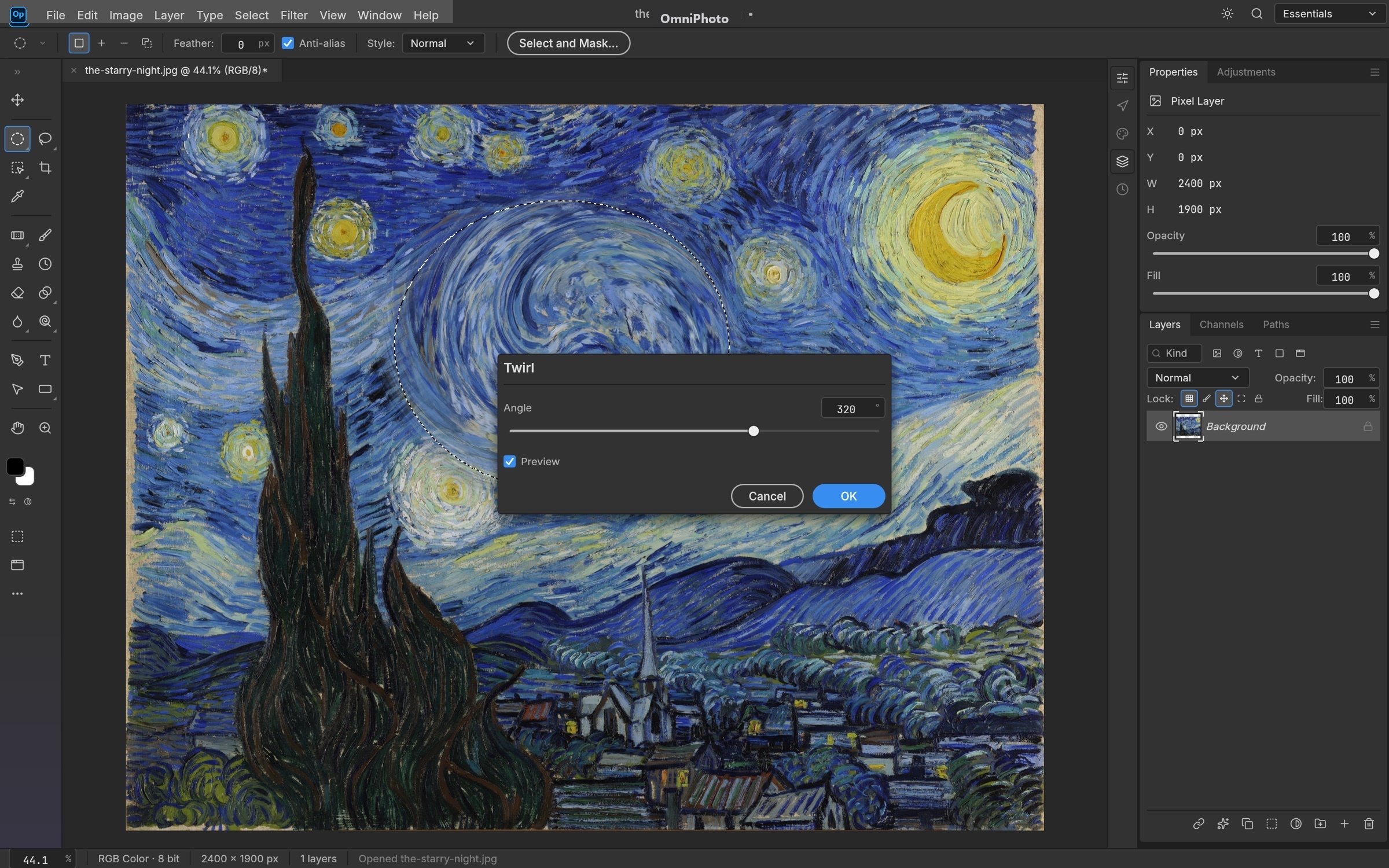
Real-Time Live Filter Previews
Every filter dialog previews interactively on canvas through selections. Gaussian blurs, Blur Gallery, Twirl, Ripple, and unsharp masking utilizing multithreaded SIMD passes.
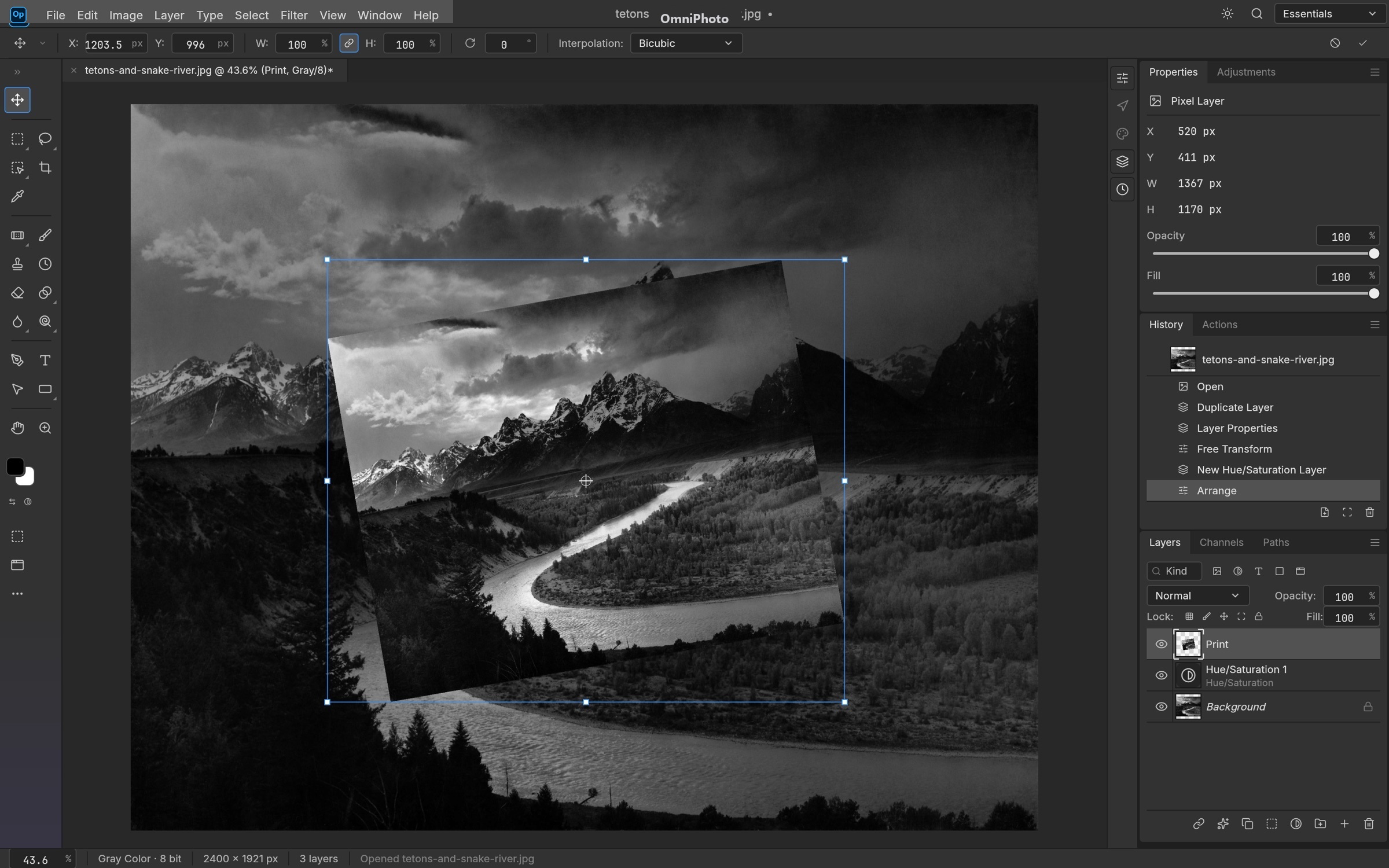
Free Transform & Granular History
Full transform matrix calculations for layers, vector shapes, masks, and text. Step-by-step history snapshots allow reverting individual brush strokes or operations instantly.
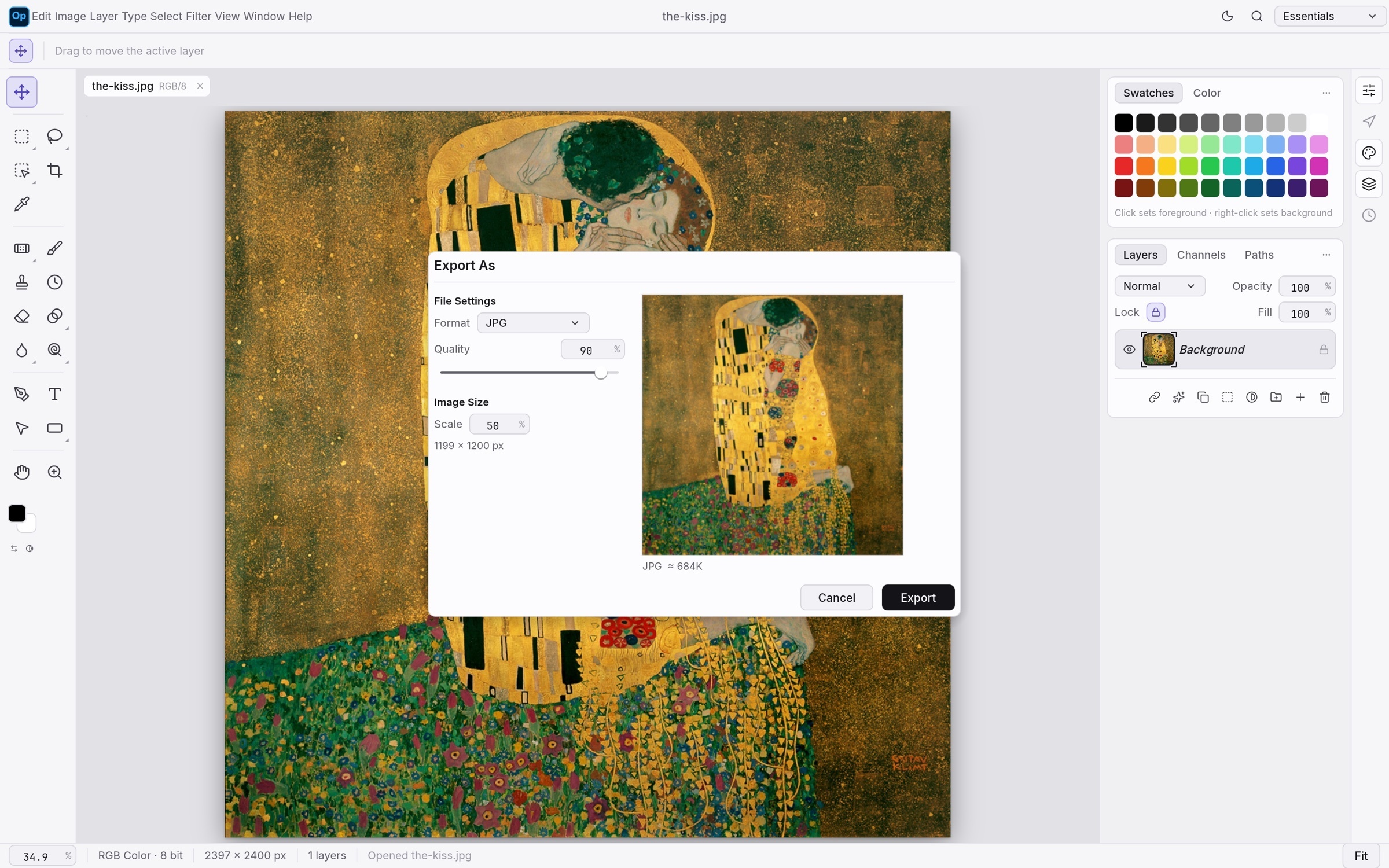
Modern Production Multi-Format Export
Export As dialog with instant file-size calculation, quality tuning, transparency control, and format conversion across WebP, AVIF, PNG, JPEG, and TIFF with Display P3 / sRGB color profiles.
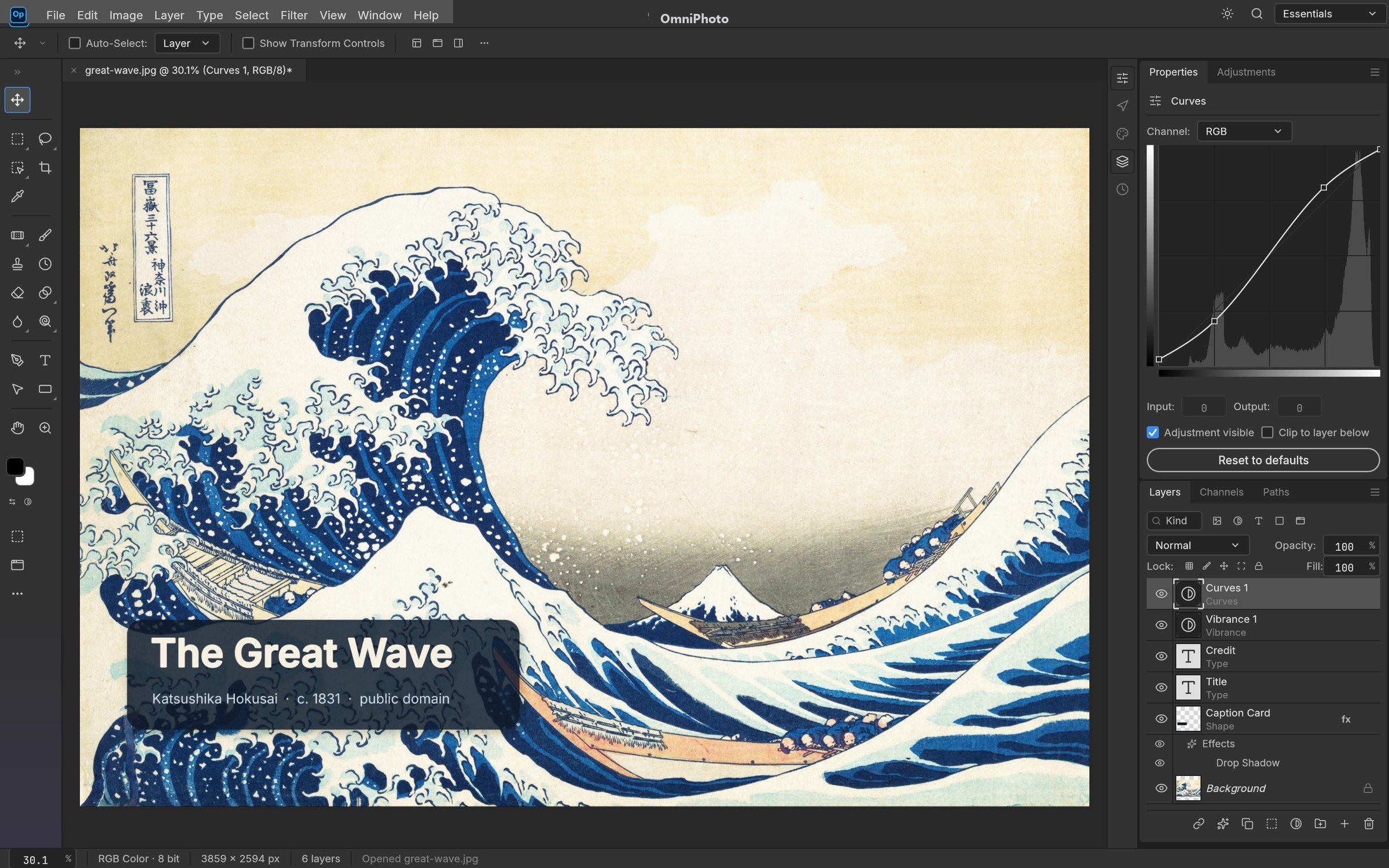
Complex Multi-Layer PSD Compositing
Open and edit layered PSD files with high fidelity. Supports nested folders, adjustment layers, channel masks, and Photoshop actions (.atn) directly in your browser.
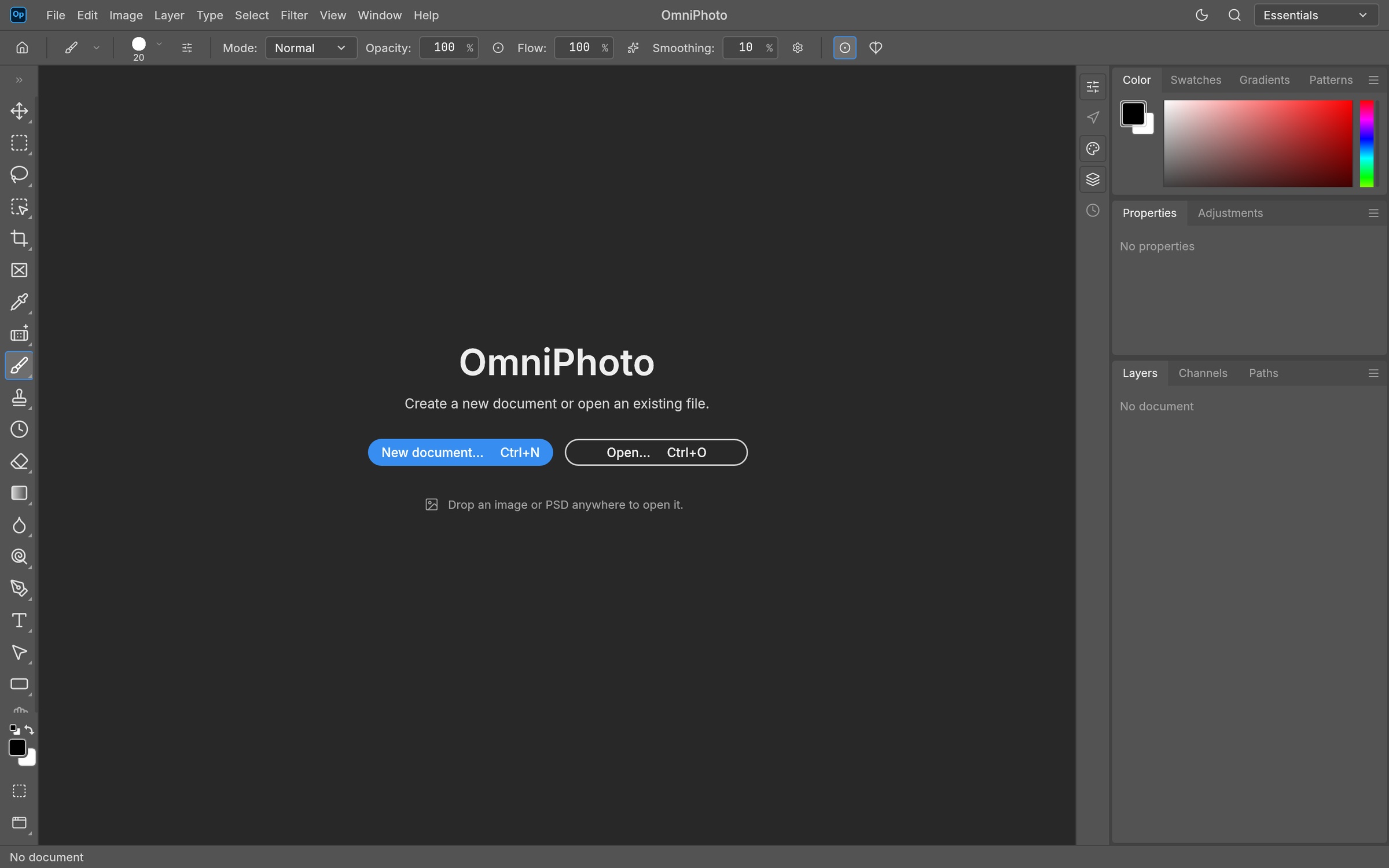
OmniPhoto Studio WebAssembly Workspace
Pure Rust WebAssembly engine running entirely client-side. Complete offline support, zero cloud subscriptions, zero telemetry, and instant sub-millisecond command responsiveness.
International Editions (15 Languages)
OmniPhoto is fully localized across 15 global languages with native translations, bidirectional RTL support, and region-targeted SEO schemas.
How-To Guide
Open or Create Document
Click New Document (Ctrl+N) to specify custom dimensions, resolution, and color space, or drop any existing PSD, TIFF, RAW, or PNG file onto the canvas.
Manage Layers & Masks
Organize your composition using the Layers panel. Create nested groups, adjust opacity, choose from 27 blend modes, and apply non-destructive raster masks.
Apply Precision Adjustments
Fine-tune exposure, tonal balance, and color grading non-destructively using Curves, Levels, and Selective Color adjustment layers.
Export or Save PSD
Select File › Save As to download an authentic layered Adobe Photoshop PSD or PSB file, or export web-optimized PNG, WebP, or AVIF images.